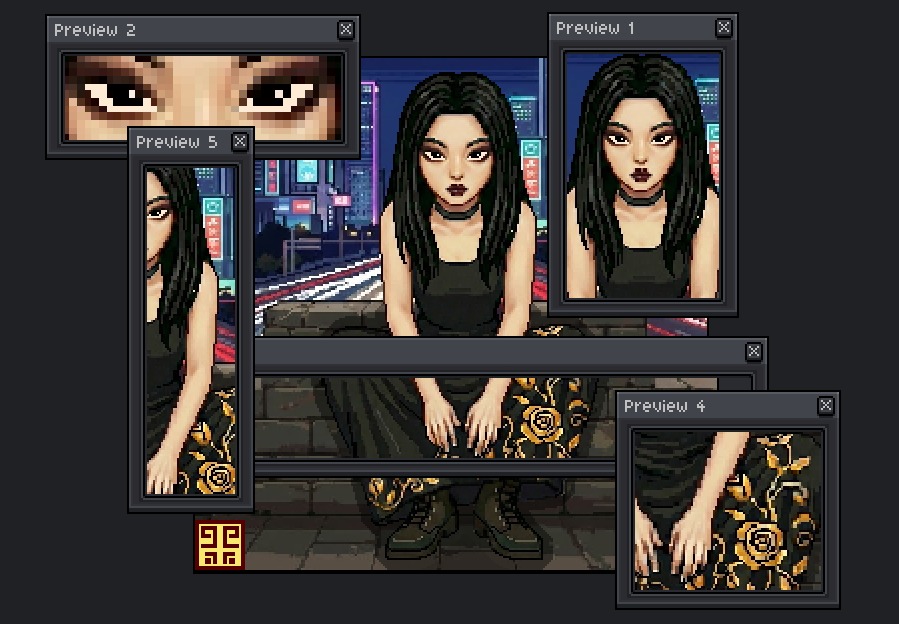
Leo's More Preview Windows
A downloadable project for Windows, macOS, and Linux
✨ Features
- Multiple Preview Windows — Open up to 10 simultaneous preview windows to view your artwork at different zoom levels
- Real-Time Updates — See your changes instantly as you draw, no manual refresh needed
- Smooth Pan & Zoom — Drag with left or middle mouse button to pan, scroll wheel to zoom in/out
- Quick Reset — Double-click to instantly reset view to default
- Resizable Windows — Adjust each preview window to any size you need
- Keyboard Shortcut — Press
=to quickly open a new preview window
🎯 Perfect For
- Artists who need to see their work at 1:1 pixel scale while drawing zoomed in
- Checking animation frames at different sizes simultaneously
- Monitoring your composition while focusing on details
- Multi-monitor setups where you want previews on a secondary screen
📦 Installation
- Download the extension
- Go to Edit → Preferences → Extensions
- Click Add Extension and select the downloaded file
- Access via View → Leo's Previews → New Preview Window (You can add a shortcut in Edit → Keyboard → New Preview Window)
💡 Tips
- Use scroll wheel to zoom in/out smoothly
- Drag anywhere on the canvas to pan
- Double-click to reset zoom and position
- Open multiple windows at different zoom levels for the ultimate workflow
Version 4.0.0 | Made with ❤️ for the Aseprite community
Download
Click download now to get access to the following files: